
Before the exam
Create the assessment or agree the LMS handoff. Set participant access, permitted resources, equipment checks and exceptions before invitations go out.
Verify who is taking the exam, monitor the agreed conditions and give reviewers the session evidence they need. Run assessments in TrustExam or scope proctoring for your existing platform.
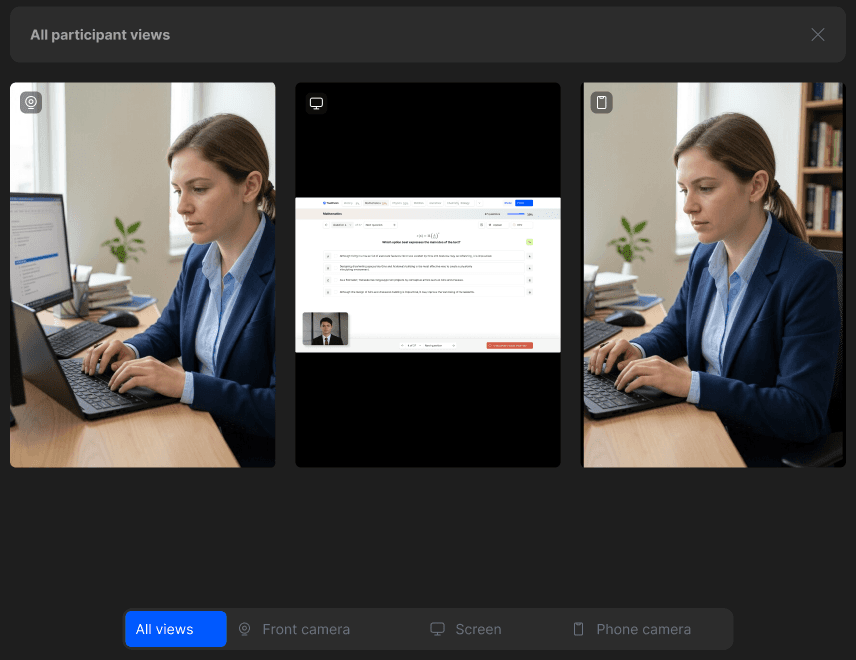
Online proctoring is a process for supervising an exam at a distance. It combines participant instructions, identity and environment checks, monitoring and review. The right setup depends on the exam stakes, permitted materials, participant devices and the people responsible for decisions.
Create the assessment or agree the LMS handoff. Set participant access, permitted resources, equipment checks and exceptions before invitations go out.
Use the camera, screen and environment controls supported by your chosen browser, tray-assisted or desktop mode. Explain required checks to participants in advance.
Review answer scores separately from integrity signals. Authorised reviewers assess context, document their conclusion and follow the programme’s appeals process.
Decide when people review sessions: during the exam, after it, or both. Automated flags help locate relevant moments; they do not replace a misconduct decision. Agree staffing and response times for the programme.
Question preparation, invitations, exam delivery, grading and integrity review should have clear owners. If you already have an LMS, confirm identifiers, session launch and result exchange in a pilot.
Use representative devices and include technical interruptions, permitted tools and individual adjustments. Measure completed attempts, support demand and reviewer workload before extending the rollout.
Explore the details before your demo. If your question is not here, talk it through with our team.
Talk to the teamNo. A locked exam environment restricts selected actions on the computer. Proctoring adds a supervision and review process. The two can be combined; the available controls depend on the delivery mode.
Yes. TrustExam supports question creation and import, participant groups, invitations, exam delivery and results. The built-in IDE supports coding tasks; confirm the required runtime for your programme.
The authorised reviewer applies your programme’s rules to the evidence. A warning, TrustScore or automated event is information for review, not a final finding.
Pricing depends on the exam volume, session length, delivery mode, integration and review responsibilities. Share these details with the team to receive a proposal for your setup.
Use the invitation from your organiser and the Help Center. The organiser provides your access link, allowed materials, equipment requirements and support route. A sales demo is not an exam login.