
Participant
Confirm who is taking the assessment and agree how identity exceptions are handled.
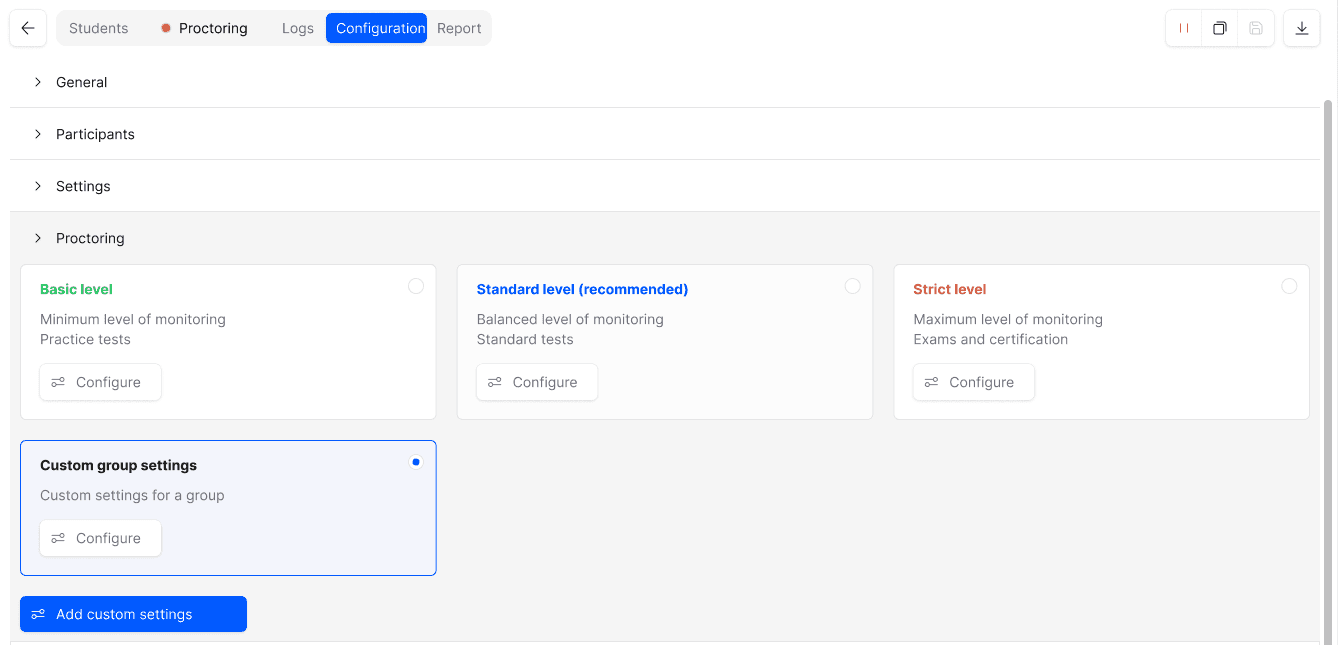
Configure identity checks, camera and screen monitoring, focus and display checks, and content protection around the exam. Choose the delivery mode that supports your required controls.
Confirm who is taking the assessment and agree how identity exceptions are handled.
Consider screen activity, devices, software and the physical setting together.
Connect risk signals to recordings and event context for human review.
Select the controls that match the exam and validate them in the actual delivery environment.

Identity verification connects a person to the assessment session. Agree the process for mismatches or failed checks before exam day.
Device and software signals add context beyond the webcam. Configure the checks around permitted tools and the supported operating environment.

Combine webcam and screen views, with additional cameras where configured. Plan placement and candidate instructions before using a multi-camera setup.
Look at the recording around an event, the technical context and the exam rules. A signal should focus attention, not replace a reviewer’s judgement.
ContentProtect belongs in a wider security plan. Combine technical controls with camera coverage, permitted-resource rules and a process for reviewing suspicious events.

Technical interruptions and approved behaviour can resemble risk signals. Review the relevant evidence and the participant’s context before reaching an integrity decision.

Walk through your format, security requirements and review process.
Use these layers together. No single signal provides the full picture of an exam session.
Identity, assistance, devices and content exposure.
Match checks and monitoring to those risks.
Equipment, permitted tools and technical incidents.
Check whether reviewers have enough context.
Explore the details before your demo. If your question is not here, talk it through with our team.
Talk to the teamNo. Camera coverage is limited. Combine relevant checks, candidate rules and human review rather than relying on one view.
No universal requirement is stated here. The camera configuration depends on your exam setting and the agreed security model.
The interpretation depends on the configured checks and exam rules. Validate permitted tools in the pilot and review the session context before deciding.
No. The workflow helps protect exams and supports investigation. Technical controls and monitoring cannot eliminate every risk.
Yes, in a configured additional-camera workflow the participant scans a QR code and connects the phone through its browser. The organiser specifies positioning, power and connectivity requirements. This does not mean the full exam can be taken on any phone.
No. TrustExam uses the participant computer’s Wi-Fi adapter to detect visible wireless signals and estimate proximity from signal strength. A nearby or unidentified signal is not proof that a device is a camera. Configured checks can block an attempt until the signal is removed; offline or otherwise invisible devices may not be detected.
Show us the risks, devices and delivery model. We’ll work through the checks and review process.
Request a demoCandidate journey · Environment controls · Evidence review